Plans, limits and the monthly allowance
Free is a working plan, not a trial: finished videos with no watermark, a few each month. Starter raises every limit. This page lists both, and explains the allowance both of them count.
Last updated
What does each plan include?
| What you get | Free | Starter |
|---|---|---|
| Price | $0 | $9 a month or $60 a year |
| Videos a month | 3 projects | 200 exports |
| Resolution | Up to 1080p | Up to 4K |
| Longest video | 10 minutes | 120 minutes |
| Largest upload | 500 MB | 5 GB |
| Styles you can export | The free styles | All of them |
| Videos prepared at once | 1 | 3 |
| How long media is kept | 7 days | 90 days |
| Caption files (SRT, VTT, TXT) | Unlimited | Unlimited |
| Watermark | None | None |
Before you sign in, a project is kept for 1 day. Every style can be previewed on any plan; the table is about which ones export.
How is the monthly allowance counted?
- Free counts projects. The first MP4 of a project in a month uses one of its 3 slots. Revised videos of that same project in the same month use the same slot.
- Starter counts exports. Each new MP4, including a revised one, uses one of the 200.
- Some downloads never count. Downloading a finished video again, asking for the same video again unchanged, and SRT, VTT and TXT files use nothing.
- Failures are given back. A render that fails or is cancelled returns what it used. On Free, a project keeps its slot while another of its videos is being prepared or is finished.
- The month is the UTC calendar month. The count starts again on the first.
The download guide has the same rules as a table, download by download.
Where can you see what is left?
Open the account menu
Click your account at the top right of any page. The plan row shows your plan and how many projects or exports are left this month.
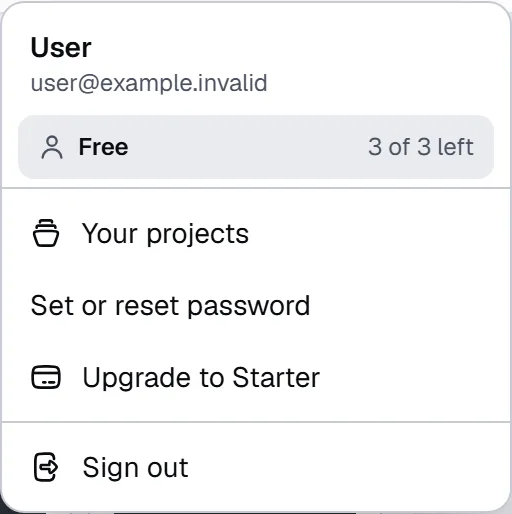
The account menu: plan, and what is left this month. Or read the Download dialog
Before you prepare a video, the dialog says what it will use. While and after a video is prepared, it shows how many are left and the date the allowance starts again.
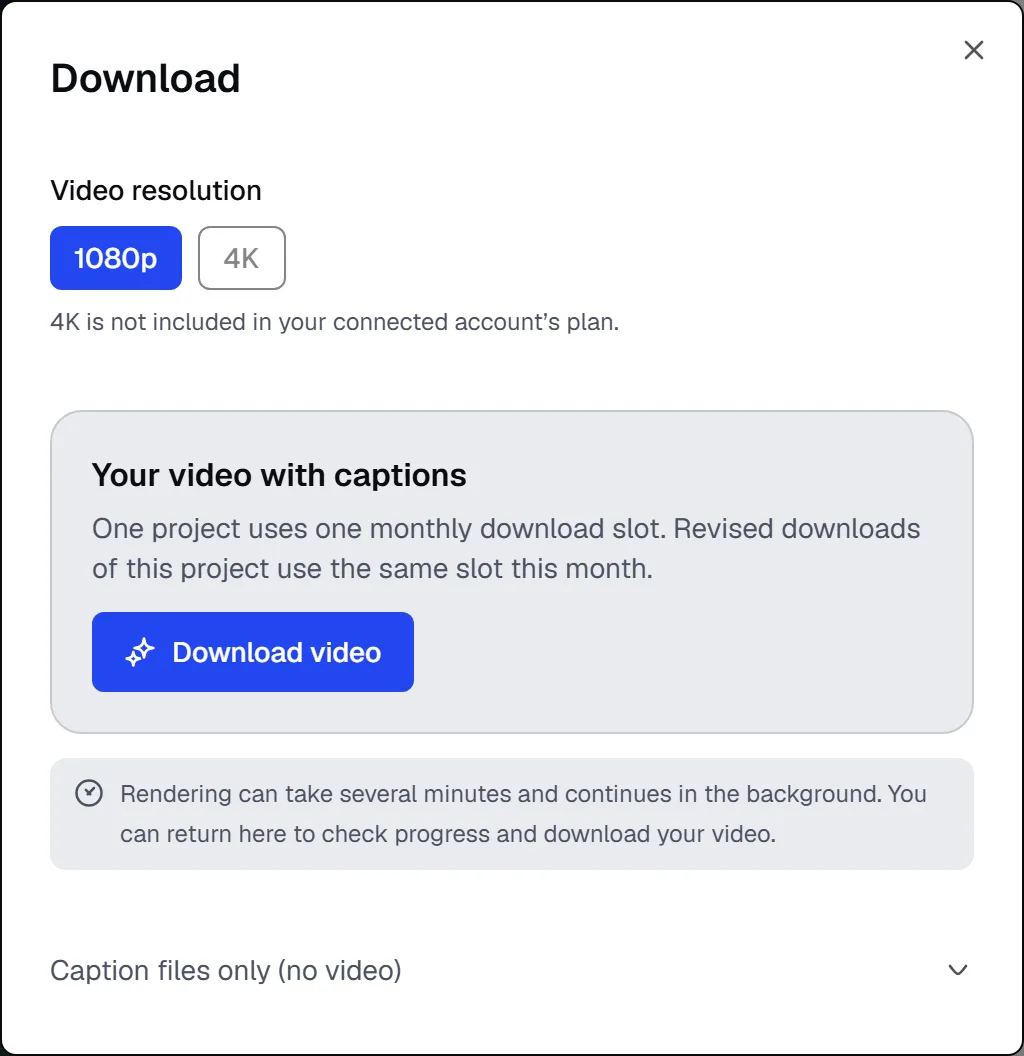
What the next video will use, said before you press the button.
What happens when the allowance runs out?
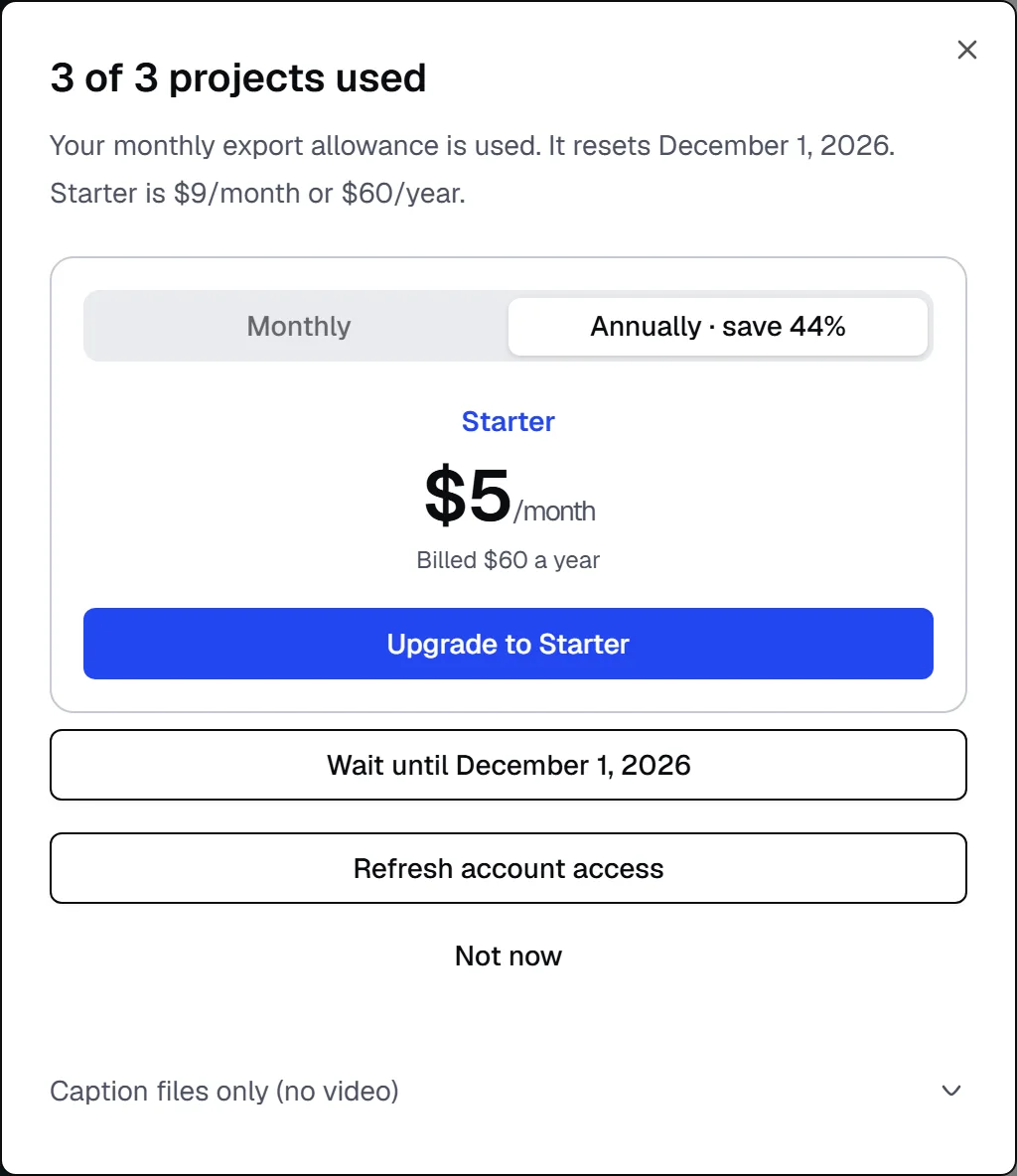
- You can keep editing every project; nothing is locked.
- Videos you already prepared stay available to download again.
- SRT, VTT and TXT files are still offered in the same dialog.
- A new MP4 waits for the first of next month, or for Starter.
Which limits stop an upload?
The uploader takes MP4, MOV, WebM or MKV files. Two limits are checked against your plan when you upload: how long the video is and how large the file is. The length is read from the video itself, not from its name.
| The video is | What to do |
|---|---|
| Longer than 10 minutes, on Free | Trim it or split it into parts in your editing app, or use Starter for up to 120 minutes. |
| Larger than 500 MB, on Free | Export it again at a lower bitrate or resolution, keeping the audio, or use Starter for up to 5 GB. |
| Longer than 120 minutes or larger than 5 GB | Split it: no plan goes higher. |
How do you change plan?
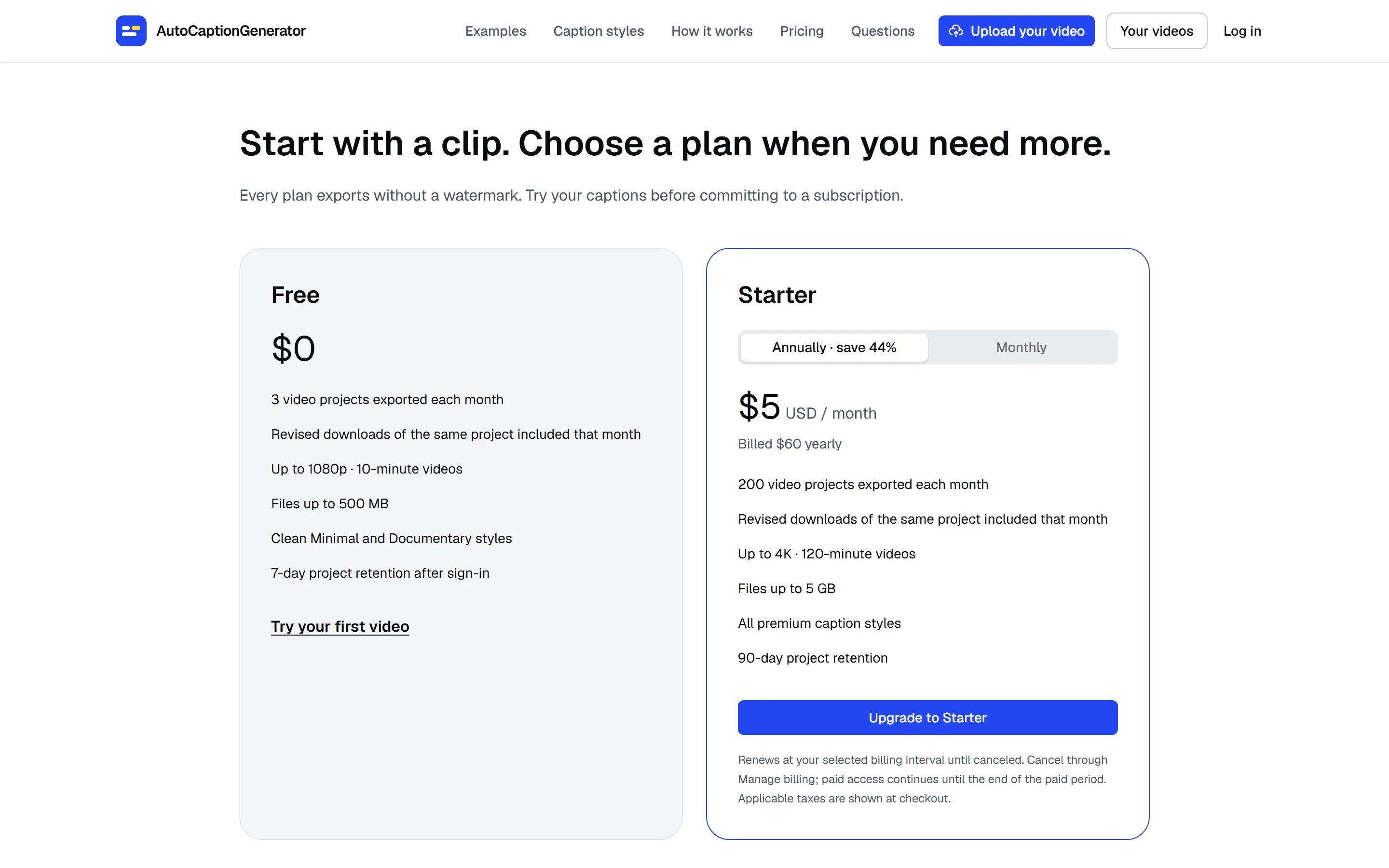
- To upgrade, choose Starter on the pricing page, or Upgrade to Starter in the account menu. The new limits apply from your next download once the payment is confirmed. What you used this month still counts: the limit rises, the count does not start again.
- To cancel, use Manage billing in the account menu. Starter stays until the end of the period you paid for, then the account returns to Free's limits. Billing and cancelling has the details.
- Before you cancel, download anything you want to keep: Free keeps media for 7 days, Starter for 90.
What no plan includes
- Translation. The captions are in the language that was spoken.
- Batch uploads: one video per project.
- Custom fonts or brand kits.
- Importing an SRT or VTT file.
- Priority processing.
Frequently asked questions
Does Free add a watermark?+
No. Neither plan adds a watermark. Free limits how many videos, how long, how large, the resolution and the styles instead.
When does the allowance reset?+
On the first day of each month, by the UTC calendar. Unused projects or exports do not carry over.
Do caption files count?+
No. SRT, VTT and TXT downloads never use the allowance, on either plan, even when it is used up.
Do I need a card for Free?+
No. You sign in free to download, and a payment is only taken if you choose Starter at checkout.